


Import/Export History adalah fitur yang menampilkan catatan aktivitas impor dan ekspor data kontak yang telah dilakukan dalam sistem Layanika.
Fitur ini memungkinkan pengguna untuk melacak, memantau, dan mengaudit setiap proses pengelolaan data kontak.
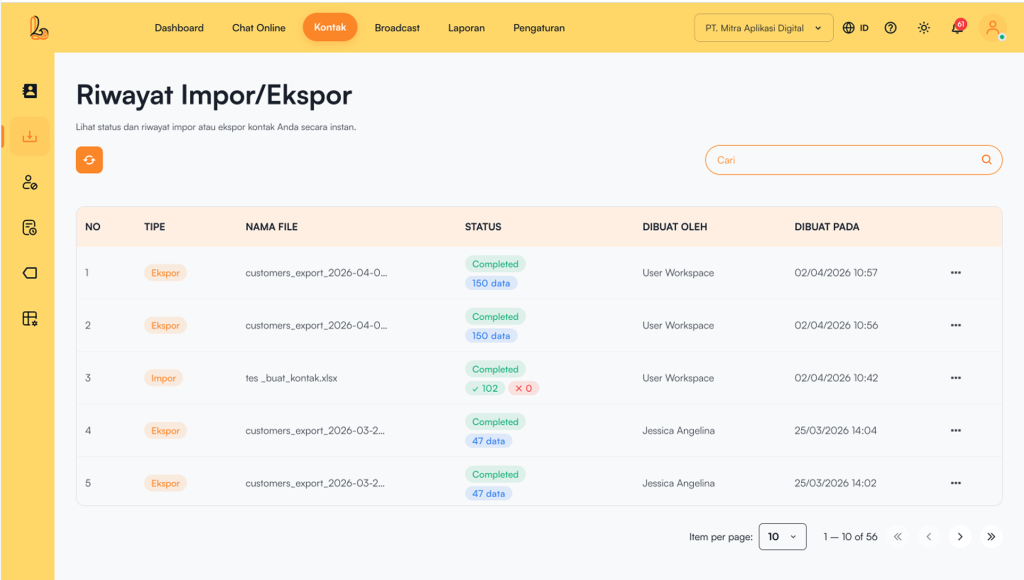
The Import/Export History list consists of:
| Colom | Description |
|---|---|
| Type | Activity type such as Import/Export |
| Filename | Activity type such as Import/Export |
| Status | The file name used in the import/export process. |
| Created By | User who performed the activity |
| Created At | Date and time the activity was performed |
| More | Additional options such as downloading the exported file or viewing the logs |
a. Mengunduh file Ekspor kontak #
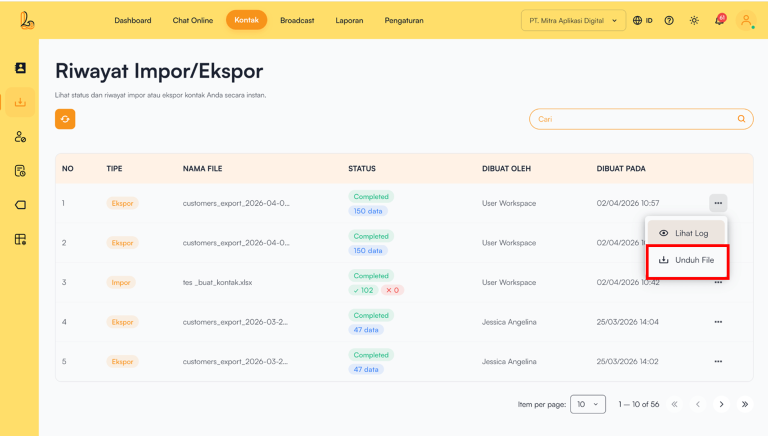
To download the file, follow the steps below to download an imported file:
- Select the Export you want to download from the Import/Export history list.
- Pilih tombol aksi (titik tiga) di sebelah kanan, lalu pilih Download File
b. Refresh Import/Export History #
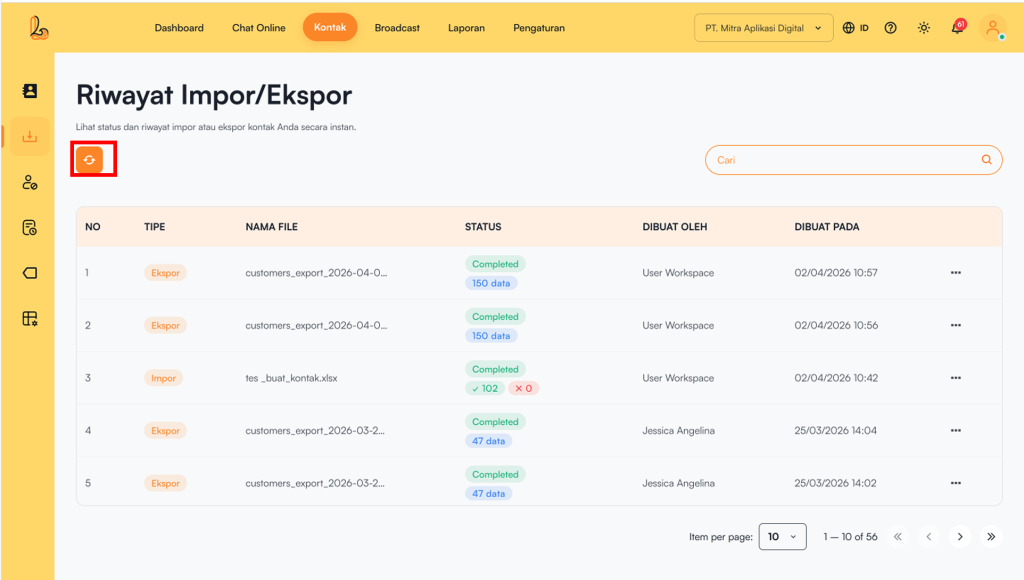
The refresh button is used to update the contact Import/Export history displayed in the table. By clicking this button, the system will retrieve and display the latest data, including status updates for ongoing Import/Export processes.
c. Log Riwayat Impor/Ekspor #
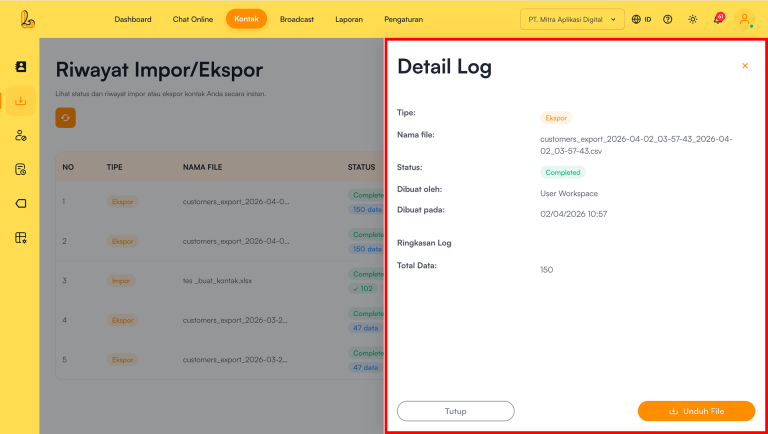
View Log is used to display detailed information about contact import/export processes. Through this feature, users can view file details, process status, and the number of records successfully processed.
| Information | Description |
|---|---|
| Type | Indicates the type of process performed (Import/Export) |
| Filename | Displays the file name used in the import process or generated from the export process |
| Contact email (if available) | |
| Status | Displays the process status |
| Created By | Shows who performed the process |
| Created At | Displays when the process was carried out |
| Log Summary | Displays the total number of records successfully processed |