


Report Messages in Layanika is a communication reporting feature used to track interactions with customers across integrated channels. It includes all types of communication, both inbound (received from customers) and outbound (sent by the business). The report consists of:
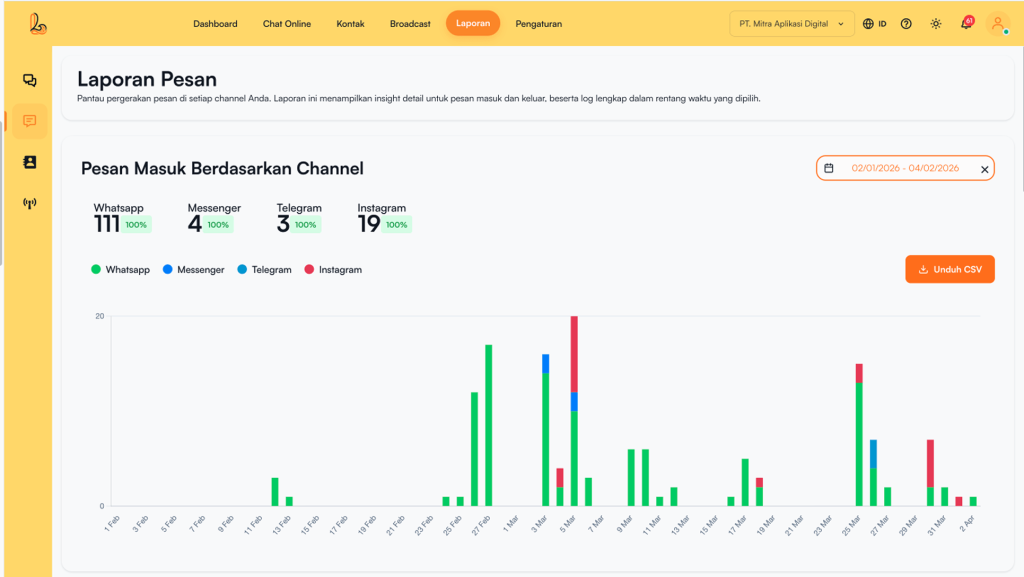
a. Incoming Messages Based on Channel #
Incoming Messages Based on Channel in Layanika is a reporting feature that displays the number and activity of inbound messages (messages received) grouped by each communication channel over a selected period.
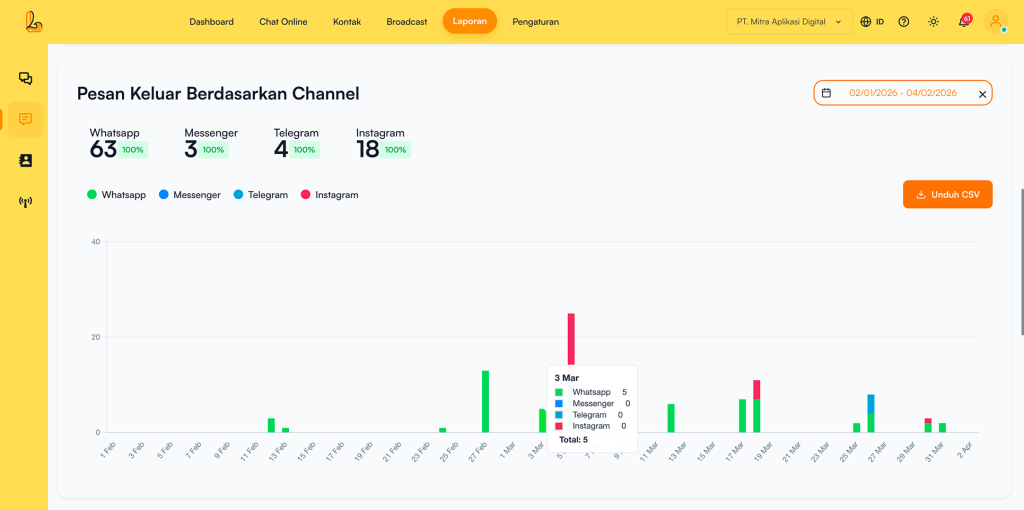
b. Outgoing Messages Based on Channel #
Outgoing Messages Based on Channel in Layanika is a reporting feature that displays the number and activity of outbound messages (messages sent), grouped by each communication channel over a selected period.
c. Incoming Message List #
Incoming Message List in Layanika is a reporting feature that displays all messages received from customers across various social media channels in a centralized inbox. This feature helps teams monitor, manage, and respond to messages efficiently.
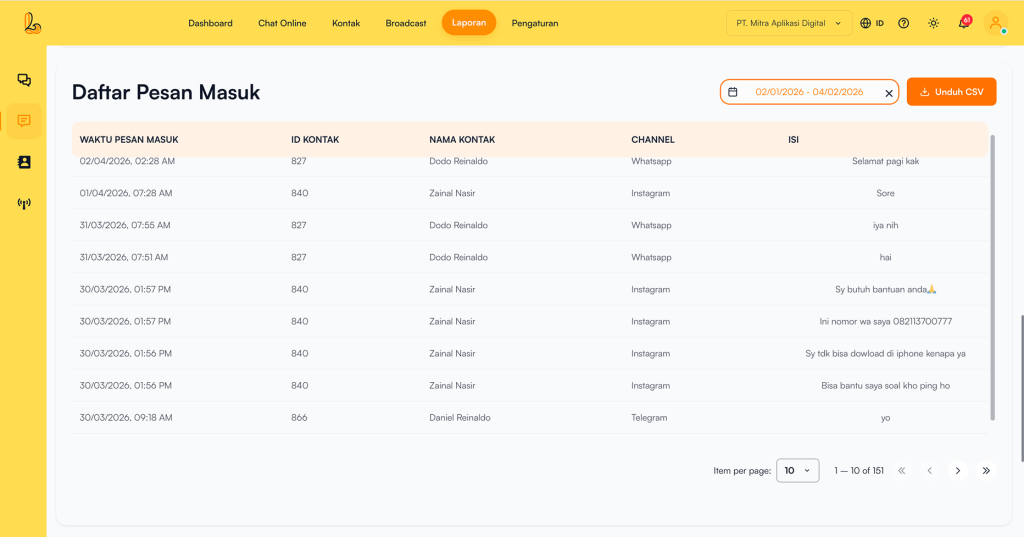
The following information is displayed in the table:
| Colom | Description |
|---|---|
| Incoming Message Time | The time when the message was received from the customer. |
| Contact ID | A unique ID for each contact/customer |
| Contact Name | The name of the customer who received the message. |
| Channel | The channel associated with the customer (e.g., WhatsApp, Telegram, Instagram, Facebook Messenger, Webchat). |
| Enter the | The content of the message sent by the customer. |
d. Outgoing Message List #
Outgoing Message List pada Layanika adalah fitur laporan yang menampilkan seluruh pesan yang dikirim oleh sistem atau agent kepada pelanggan melalui berbagai saluran aplikasi media sosial dalam periode tertentu. Fitur ini membantu memantau aktivitas pengiriman pesan secara terpusat dan terstruktur.
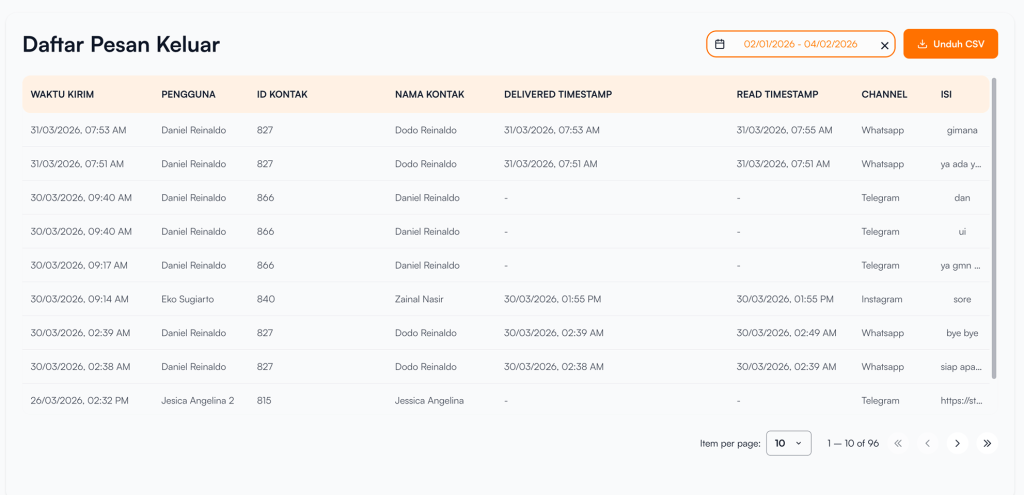
The following information is displayed in the table:
| Colom | Description |
|---|---|
| Waktu Kirim | Waktu ketika pesan dikirim ke pelanggan |
| Contact ID | A unique ID for each contact/customer |
| Contact Name | The name of the customer who received the message. |
| Delivered Timestamp | The time when the message was read by the customer. |
| Read Timestamp | The time when the message was read by the customer. |
| Channel | The channel associated with the customer (e.g., WhatsApp, Telegram, Instagram, Facebook Messenger, Webchat). |
| Enter the | The content of the message sent. |