

Report feature in Layanika provides a summary of data and analytics related to platform usage, customer communications, and operational performance within a specific period. This feature helps businesses monitor performance, evaluate activities, and make data-driven decisions.
Reports are divided into several categories:
Report Conversation
Report Messages
- Report Contact
- Report Broadcast
a. Using the Date Filter in Reports #
Users can filter report data based on a specific time range using the date filter feature.
How to use the filter:
Step 1:
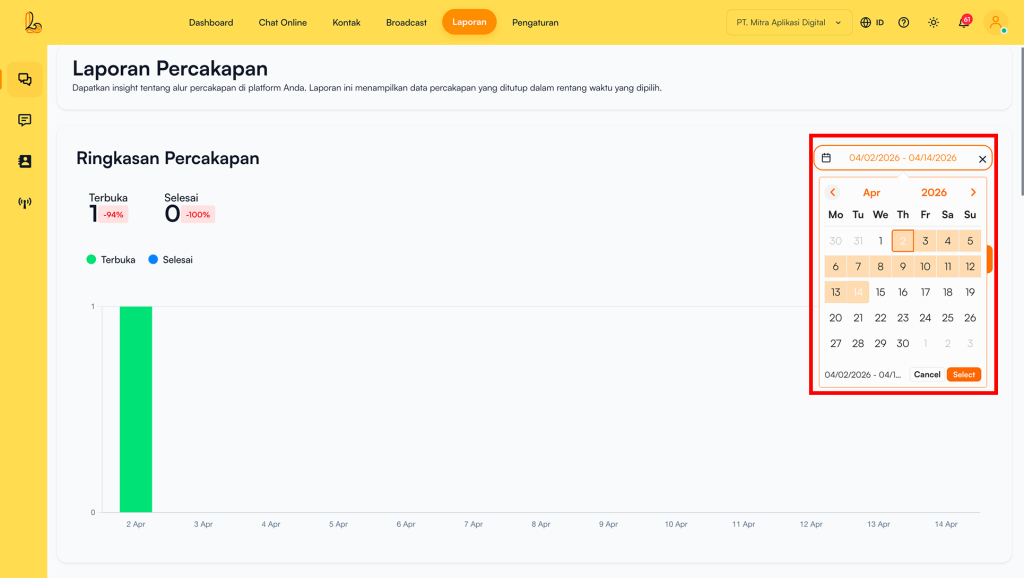
Click on the date field provided, then select your desired date range from the calendar.
Step 2:
Click Select to display data based on the chosen period.
b. Downloading Reports #
Users can download conversation report data in file format for analysis or documentation purposes. Reports can be downloaded in csv. How to download the report:
Step 1:
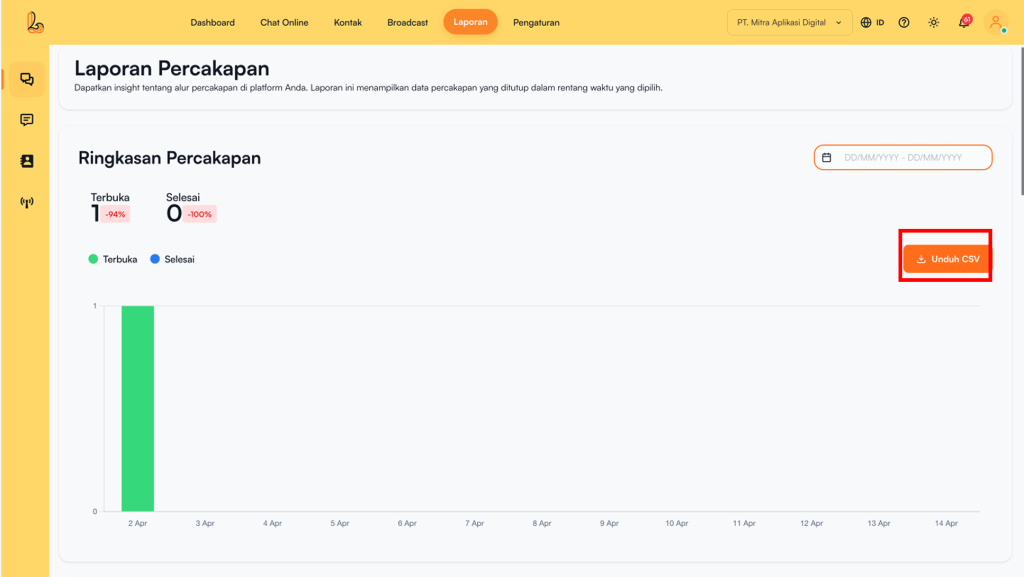
Ensure that you have selected the desired report date range. Then, click the Download CSV button available on the report page.
Step 2:
The system will automatically download the report file to your device in csv.